
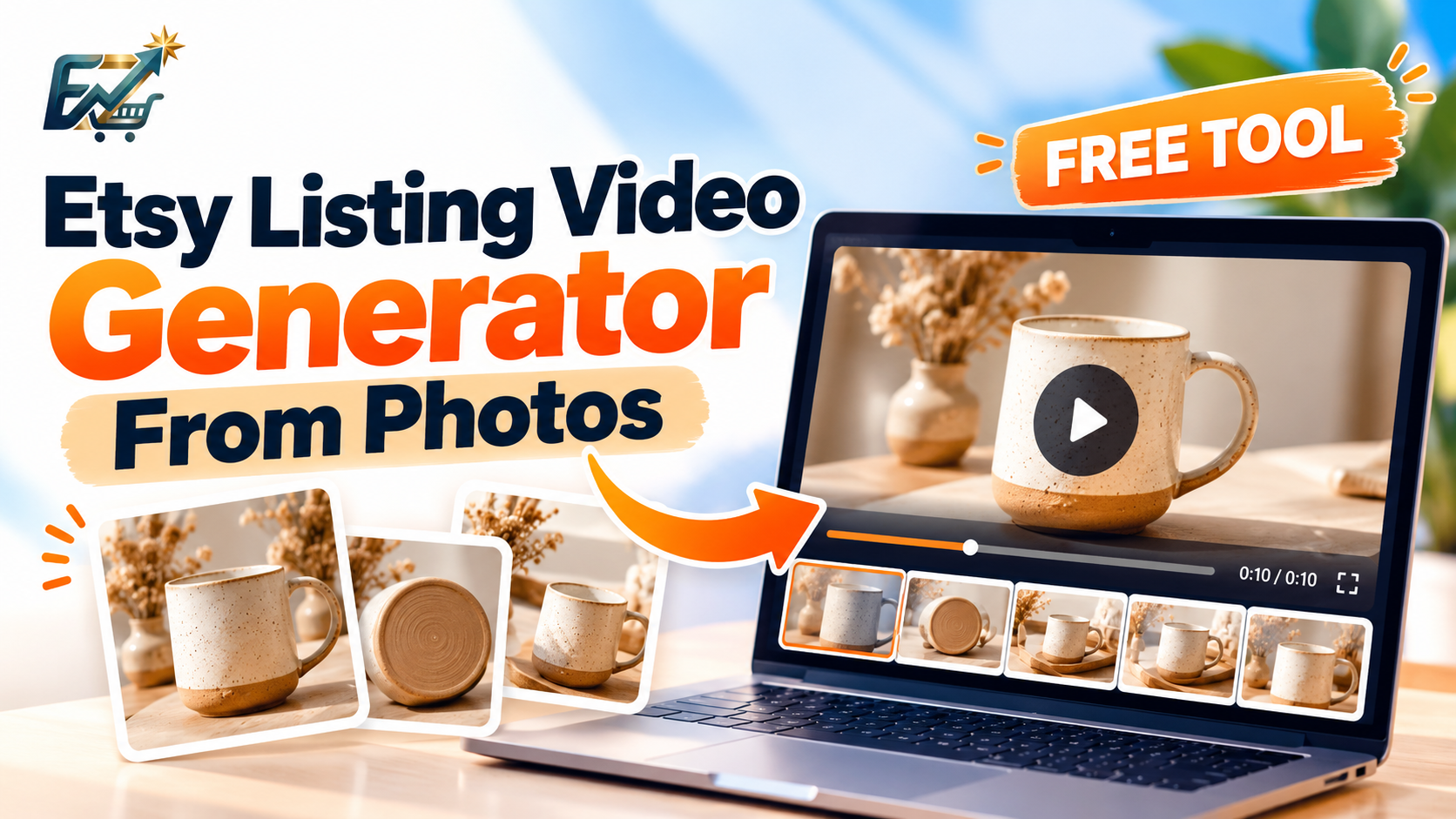
Yes. You can turn product photos you already have into a short Etsy listing video without a camera setup or a full editing program.
A listing video gives shoppers another way to look at the item. A short sequence can show the front, a side, a close-up, and a color or detail that one photo leaves out. For sellers who photograph products but do not film them, that is often the practical path.
SEOLister's Free Etsy Listing Video Generator builds a silent MP4 from those photos in your browser. Upload the images, pick a length and a transition, choose a format, preview the clip, and download it. Generation runs locally in the browser, and the tool page does not ask you to sign up.
Why add videos to your Etsy listings?
Photos still do the main job. A short clip can add views a single frame does not hold. Etsy's listing video guide says videos can help shoppers understand a product and that listings with video may be eligible to appear in search. That is not a promise of higher rank or more sales.
1. Show different product angles
A sequence can move from the front to the back, the side, and a close-up. That helps with jewelry, ceramics, clothing, accessories, and home decor, where one angle hides the clasp, the handle, or the back.
2. Highlight details shoppers might miss
A clip can spend a moment on glaze, stitching, hardware, or a printed design. It can only show what is in the photos. A slideshow does not prove movement, stretch, or a feature you did not photograph.
3. Add another format to the gallery
The video sits with the photos. Shoppers can pause on a still image and also watch the sequence. It does not replace the photos. Etsy still expects clear listing images.
4. Reuse the photos you already shot
If the images are already cropped and lit for the listing, you can assemble them into an MP4 instead of booking a second shoot. That matters when you list many products and cannot film each one.
How to create Etsy listing videos from photos using SEOLister
Step 1: Open the free generator
Go to the Free Etsy Listing Video Generator. It is a browser tool for silent MP4 files. Desktop Chrome, Edge, Firefox, or Safari is the recommended setup for encoding.
Step 2: Upload your product photos
The generator accepts 2–10 JPEG, PNG, or WebP images. Source photos around 1080 pixels or larger hold detail better. Pick angles that add information.
For a handmade ceramic mug, a useful set might be:
- A clear main photo.
- A close-up of the glaze.
- A side view of the handle.
- The mug in a simple setting.
- A detail of the base or the foot.
You do not need every file on your camera roll. A few different views beat five near-duplicates.
Step 3: Choose the duration
The generator offers 5, 10, or 15 seconds. Five or ten seconds is enough for most products. Use 15 seconds when you have several distinct details and the sequence will not loop the same shot.
Etsy's help page lists listing videos of 3–15 seconds. These presets sit inside that range. Confirm the current rule on How to add a listing video before you upload, because Etsy can change the spec.
Step 4: Select a transition
Transitions are how one photo hands off to the next:
- Fade blends one image into the next.
- Slide moves the next image into the frame.
- Zoom pushes in on the sequence.
- None cuts from one photo to the next.
Match the effect to the product. A fade suits ceramics, jewelry, and decor. A light zoom can point at a detail. Skip effects that cover the item.
Step 5: Choose the video format
The generator exports these aspect ratios:
- 16:9 landscape
- 1:1 square
- 4:5 portrait
- 9:16 vertical
Keep the product inside the frame. Etsy's Help Center currently says listing videos should use a 2:1 or 1:2 aspect ratio. Those ratios are not the same as every preset above. Do not assume a social format will be accepted. Preview the file, check its dimensions, and confirm the upload in Etsy's listing editor. Etsy also lists a 100 MB maximum, a minimum resolution of 500 pixels, and at least 1080 pixels as the preferred resolution.
Step 6: Generate and preview
Click Generate video and let the browser encode the clip. Then watch the preview: photo order, cropping, transition speed, and whether any important edge is cut off. The product should look like the item you ship.
Step 7: Download and add it to the listing
Download the MP4. In Etsy Shop Manager, open the listing and use the photos and video section. Etsy strips audio on upload, so the silent file is what shoppers will see. The same help article covers accepted formats and the upload steps. If you prefer to film instead of using stills, Etsy's handbook has a separate note on listing videos shot on a phone.
Create your first video: Try the free generator.
Best practices for photo-based listing videos
Start with the clearest photo
The first frame should identify the product. Shoppers should not have to wait to learn what the listing sells.
Use photos that add a new fact
A second angle, a close-up, a sense of scale, or a simple in-use shot is worth more than another copy of the hero image.
Keep the product honest
Do not crop, filter, or sequence images so the item looks like a different size, material, or set of contents. Do not use generated pictures to imply a feature the real product does not have.
Keep transitions quiet
The item is the point. A fade, a clean slide, or no transition is usually enough for a clip this short.
Plan for silence
Etsy removes audio. If a detail only makes sense with a voiceover, put that detail in the description or show it in a photo.
Check the file before you upload
Play the MP4. Confirm the product is not cropped, the length is 3–15 seconds, and the file is under 100 MB. Then confirm Etsy accepts that specific export.
Which products work well with photo-based videos?
| Product | Photos worth including |
|---|---|
| Handmade jewelry | Full piece, clasp, stone, and a close detail |
| Ceramics and pottery | Front, side, glaze, and the foot or base |
| Clothing and accessories | Front and back, stitching, texture, and color options you actually sell |
| Home decor | Close-ups, a scale reference, and a simple room view |
| Personalized gifts | The whole design, the personalization area, and real variations |
| Art and prints | The full piece, a detail, and the edge or frame if it is included |
| Leather goods | Stitching, grain, hardware, and the interior |
Choose images that answer a buyer question. Extra photos that repeat the same view only make the clip feel long.
SEOLister vs a traditional video editor
| SEOLister free generator | A traditional editor | |
|---|---|---|
| Job | A short listing clip from product photos | Any edit you can build on a timeline |
| Start | Upload images and pick presets | Import media and set up a project |
| Transitions | Fade, slide, zoom, or none | Usually more control |
| Length | 5, 10, or 15 seconds | Whatever you set |
| Audio | Silent MP4, which matches Etsy listing video | Music and voice if you want them, though Etsy will strip listing audio |
| Fits | Quick slideshows for many listings | Filmed footage, motion graphics, and heavy color work |
| Finish | Generate, preview, download | Edit, render, export |
Use the generator when the footage is already a set of good photos. Use an editor when you filmed the product, need precise timing, or need graphics the presets do not offer.
Listing videos are one part of the listing
A clip does not replace the title, tags, description, or attributes. SEOLister's paid listing workflow is separate from this free generator. With an account you can:
- Draft titles, tags, descriptions, styles, and materials from product images.
- Use up to 20 photos in the listing creation flow.
- Sync listings you already have and optimize selected fields.
- Review a completion score. The score is a checklist, not an Etsy rank.
- Regenerate a field with your own instructions.
- Write multilingual listing content.
- Reuse templates and snippets.
- Publish the reviewed listing to a connected shop.
You can make the video first, with no account, and use the rest of the workflow only if you want help with the listing text. SEOLister's home page is the overview. Pricing lists the free plan and the paid credit limits.
Sources
- Etsy Help: How to add a listing video
- Etsy Seller Handbook: How to take listing videos with your smartphone
- SEOLister: Free Etsy Listing Video Generator
Etsy's upload rules and the generator's presets can change. Preview the MP4 and confirm the current requirements in your listing editor before you publish. SEOLister is not affiliated with Etsy, Inc.
Frequently asked questions
Can I make an Etsy listing video from photos?
Yes. You can combine product photos into a short MP4 slideshow with a video editor or with SEOLister's Free Etsy Listing Video Generator. The result is a photo sequence, not filmed footage of the item moving.
How do I create an Etsy listing video for free?
Open SEOLister's free listing video generator, upload 2 to 10 product images, choose a duration of 5, 10, or 15 seconds, pick a transition and aspect ratio, generate the video in your browser, and download the MP4. You do not need an account for that generator.
How long should an Etsy listing video be?
Etsy's Help Center lists listing videos of 3 to 15 seconds. SEOLister's generator offers 5, 10, and 15 second presets, which sit inside that range. Use only as much time as the photos need.
Does Etsy allow videos made from product photos?
You can upload a supported video made from your own product photos if it meets Etsy's current file, duration, and ratio rules and if it shows the real item. Check the file in Etsy's listing editor before you publish.
Do Etsy listing videos have sound?
No. Etsy says listing videos will not contain audio after upload. SEOLister exports a silent MP4, so the pictures have to explain the product without music or narration.
What format should I use for an Etsy listing video?
MP4 is one of the formats Etsy accepts, and it is what SEOLister downloads. Also check the current file-size limit (100 MB on Etsy's help page), duration, resolution, and aspect ratio before you upload.
Do I need to record a video of my product?
Not for a simple slideshow. Photos are enough when shoppers mainly need angles and details. If they need to see movement, fit, or how the item works, filmed footage is clearer than still images.
Is SEOLister's Etsy listing video generator free?
Yes. The listing video generator creates a silent MP4 from your photos in the browser, and the tool page does not require signup to generate and download. Other SEOLister features, such as publishing a full listing, use a separate account.
Does adding a listing video guarantee more Etsy sales?
No. A video can help shoppers understand the product. It does not guarantee views, search placement, or sales. Demand, price, photos, and whether the listing is accurate still matter.
Related articles
Etsy SEO
How to Create an Etsy Listing with SEO Lister in 2026
Spending an hour per listing on titles and tags? Use an SEO-first create flow so new products go live complete—and searchable—the first time.
Etsy SEO
Can ChatGPT Write Etsy Listings? What Sellers Should Know
ChatGPT can draft Etsy titles, tags, and descriptions. A dedicated listing workflow still has to create, check, and publish those listings in your shop.

Etsy SEO Tools
Best Etsy Listing Optimizer Tools in 2026
Etsy sellers do not all need the same software. Compare listing optimizers for AI writing, keyword research, audits, and publishing, and see where SEOLister fits.