
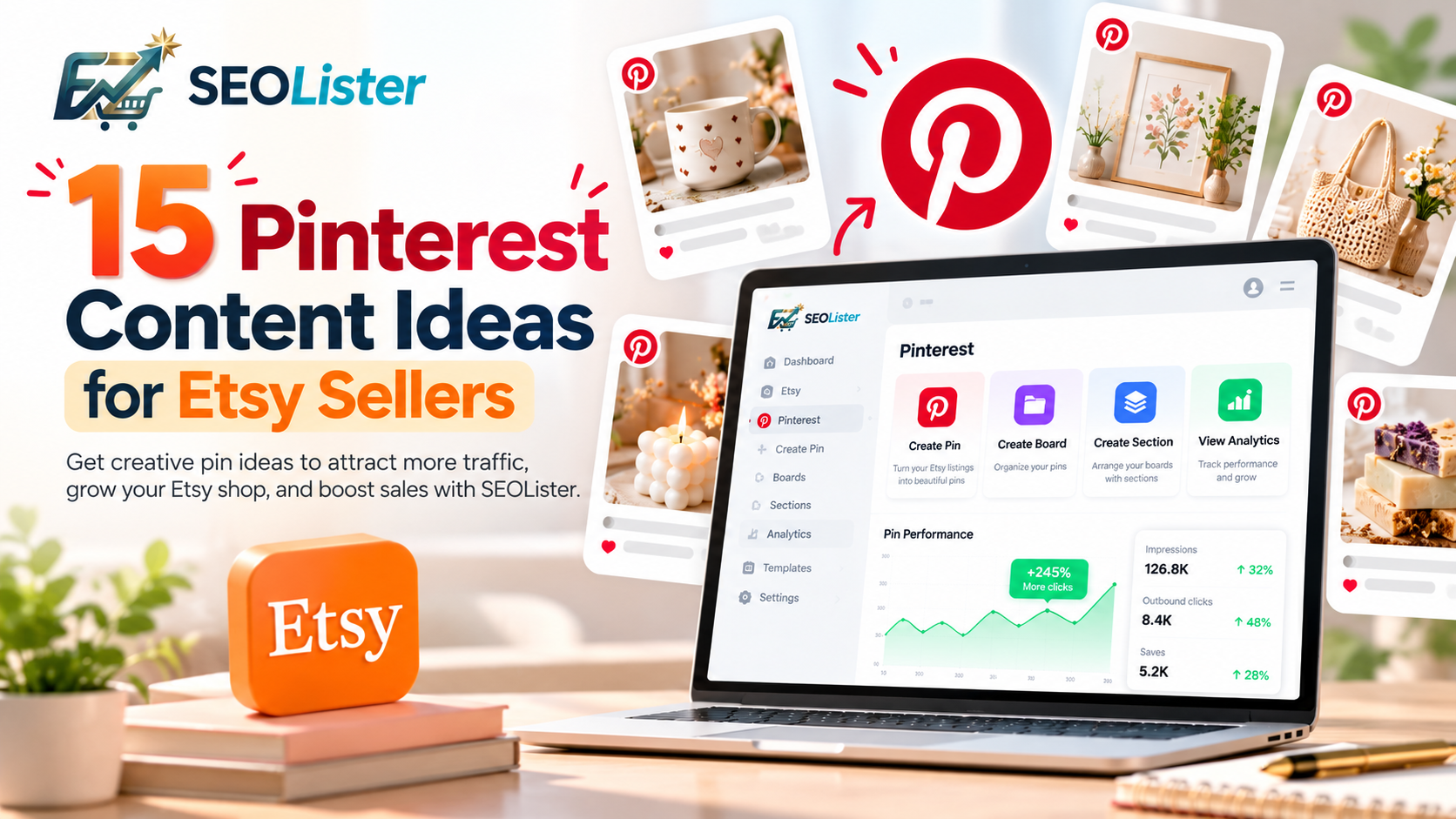
Pinterest can give Etsy sellers another way to showcase products, connect with shoppers' interests, and attract potential customers beyond Etsy search. But what should you actually post?
Publishing the same product image repeatedly can make your content feel repetitive. A stronger approach is to share different types of pins that highlight products from multiple angles, answer customer questions, and connect your listings with relevant occasions and interests.
In this guide, you'll discover 15 Pinterest content ideas for Etsy sellers, along with practical examples and tips for organizing content and reviewing performance. You'll also learn how SEOLister can help you create pins from Etsy listings, manage Pinterest boards and sections, and review analytics from one workspace.
Why Pinterest content matters for Etsy sellers
Pinterest is a visual discovery platform where people search for ideas, save inspiration, and explore products they may want to purchase. For Etsy sellers, this creates opportunities to showcase products to people who may not have discovered them through Etsy search.
A thoughtful Pinterest content strategy can help you:
- Showcase products to new audiences.
- Connect products with relevant interests and occasions.
- Create multiple ways for shoppers to discover the same listing.
- Organize content into useful boards and sections.
- Identify which pins attract attention and encourage clicks.
Pinterest does not guarantee traffic or sales. Results depend on factors such as product demand, image quality, relevance, competition, and the quality of your Etsy listings. The goal is to create useful content and improve your strategy based on performance.
15 Pinterest content ideas for Etsy sellers
1. Product showcase pins
Start with the simplest idea: showcase the products you sell on Etsy.
Create pins featuring individual products with clear, attractive photography. Make it easy for shoppers to understand what the product is and why they might want it.
Examples include:
- Handmade earrings photographed against a clean background.
- Personalized mugs displayed in a cozy setting.
- Digital planners shown in realistic device mockups.
- Handmade candles photographed in a styled room.
How to make it work: Use high-quality images, write a descriptive pin title, and link directly to the relevant Etsy listing.
With SEOLister, you can create Pinterest pins using your Etsy listing images, titles, and links as a starting point.
2. Gift guide pins
Gift-related content can connect your products with shoppers looking for something meaningful for another person.
Ideas include:
- Personalized gifts for her.
- Unique birthday gifts for friends.
- Handmade gifts for couples.
- Thoughtful gifts for new homeowners.
- Gifts for book lovers.
You can showcase one product that fits a gift theme or create a collection featuring several relevant products.
How to make it work: Keep the theme specific and ensure every featured item genuinely fits the gift guide. Organize these pins into boards such as "Personalized Gift Ideas" or "Handmade Gifts for Every Occasion."
3. Seasonal product pins
Seasonal content helps connect your products with changing customer interests throughout the year.
Depending on your niche, create pins for Christmas decorations, Valentine's Day gifts, spring home décor, summer accessories, autumn crafts, or holiday wedding products.
How to make it work: Prepare seasonal content ahead of important shopping periods. Identify products that naturally fit upcoming occasions, then organize them into seasonal boards or sections. SEOLister's board and section management can help keep these collections organized.
4. Product-in-use pins
Show customers how your product looks or works in a real-life setting. This can be especially useful for home décor, clothing, accessories, stationery, and handmade products.
Examples include a wall print displayed above a sofa, a handmade necklace styled with an outfit, a personalized notebook on a desk, or a decorative candle on a bedside table.
How to make it work: Keep the product clearly visible and ensure the image accurately represents what the customer will receive.
5. Before-and-after pins
Before-and-after content can demonstrate how a product contributes to a visual transformation.
Ideas include a plain wall styled with decorative artwork, an unorganized desk arranged with printable planners, or a simple gift box decorated with handmade accessories.
How to make it work: Use a clear visual comparison and connect the transformation to the actual product listing. Avoid implying results your product cannot deliver.
6. Personalized product pins
If your shop offers customizable items, create pins that demonstrate the personalization options available.
Examples include custom name necklaces, personalized wedding gifts, engraved wooden signs, custom pet portraits, and personalized journals.
How to make it work: Explain what can be personalized and link to the listing where shoppers can review the available options. You can create separate pins for different occasions when they genuinely suit the product.
7. Behind-the-scenes pins
People interested in handmade products may also enjoy learning how they are made. Behind-the-scenes content can highlight the creative work behind your products.
Ideas include:
- A glimpse of your crafting workspace.
- Materials used to make a product.
- The stages involved in creating handmade jewelry.
- Packaging an order for shipment.
- Sketches and early product designs.
How to make it work: Keep the content authentic and visually clear. Where appropriate, link to a related product listing or shop page.
8. Product detail and feature pins
Shoppers may need more information before deciding whether a product is right for them. Create pins that highlight meaningful details such as materials, dimensions, customization options, design features, or included items.
Examples include a close-up showing the craftsmanship of a handmade ring, a pin explaining the dimensions of a wall print, or a digital planner preview showing its included pages.
How to make it work: Focus on one useful detail per pin and ensure the information matches the Etsy listing.
9. Customer-favorite and bestseller pins
If you have products that consistently attract interest or sell well, consider giving them their own Pinterest content.
Ideas include bestselling handmade earrings, popular personalized gifts, customer-favorite wall art, or most-loved digital planners.
How to make it work: Only describe an item as a bestseller or customer favorite when you have a reasonable basis for that claim. Organize these pins into a dedicated board or a section within a broader product collection.
10. How-to and tutorial pins
Educational content can reach people searching for solutions, instructions, or inspiration rather than a specific product.
Examples include how to style a gallery wall, organize a planner, choose artwork for a small room, decorate a handmade gift box, or care for handmade jewelry.
How to make it work: Provide a genuinely useful tip, then link to the relevant product or a detailed guide. Avoid making every tutorial feel like a sales pitch.
11. Product comparison pins
Comparison content can help shoppers understand the differences between options in your catalog.
You could compare two jewelry styles, personalized and non-personalized gifts, different print sizes, planner layouts, or variations of wall art.
How to make it work: Explain meaningful differences and help shoppers choose the option that suits their needs. Link to the relevant listings or product collection.
12. Niche and lifestyle inspiration pins
Your audience may be interested in a lifestyle or aesthetic that extends beyond an individual product.
A home décor seller could create content around minimalist interiors, cozy reading corners, cottage-style décor, or neutral color palettes. A jewelry seller could explore minimalist fashion, everyday accessories, or gift styling.
How to make it work: Build content around the interests of your target audience, then include relevant products where they naturally fit. Create dedicated boards for distinct themes.
13. Digital product preview pins
If you sell digital products on Etsy, show shoppers what they will receive before they visit your listing.
Ideas include printable planner previews, digital art shown in a room mockup, spreadsheet templates with example layouts, printable invitations, and journal pages.
How to make it work: Use clear previews, accurately describe the digital product, and explain what is included. Make sure your imagery does not imply that a physical item will be shipped if the listing is for a digital download.
14. Frequently asked questions and buying guide pins
Create pins that answer common questions customers ask before purchasing your products.
Examples include how to choose the right wall art size, what to consider when buying personalized gifts, how to select a planner layout, how to care for handmade jewelry, or what to check before ordering custom decorations.
How to make it work: Answer one question clearly and direct interested shoppers to the relevant listing or a more detailed guide. Avoid promising benefits or product characteristics you cannot substantiate.
15. Seasonal collections and product roundups
Instead of promoting one listing at a time, create collections that bring together several products around a shared theme.
Examples include handmade gifts for Mother's Day, cozy home décor for autumn, wedding accessories for a rustic celebration, personalized Christmas ornaments, or digital planners for a new year.
How to make it work: Create a Pinterest board for a broad collection and use sections to organize narrower categories when appropriate. For example, a "Wedding Inspiration" board could have sections for personalized gifts, wedding décor, and accessories.
Keep product links accurate so shoppers can reach the individual items they want to explore.
How to organize these Pinterest content ideas with SEOLister
Coming up with content ideas is only the beginning. As your Etsy shop grows, you also need a practical way to create pins, organize boards, and understand which content is performing well.
SEOLister's Pinterest integration brings these activities into your existing Etsy listing workflow.
Create pins from Etsy listings
Use SEOLister's Create Pins feature to start Pinterest content from your Etsy listing images, titles, and links. This is useful when turning different products into product showcases, gift ideas, seasonal promotions, or other relevant pin concepts.
Review the final image, title, description, and destination link to ensure everything accurately represents the product.
Create boards for different content themes
With Create Boards, you can organize pins around the main topics relevant to your shop.
For example, a handmade jewelry seller could create boards for personalized jewelry gifts, minimalist accessories, handmade wedding jewelry, everyday jewelry inspiration, and holiday gift ideas.
Choose categories that match your products and customers' interests rather than creating boards simply to increase their number.
Create sections to organize related pins
SEOLister's Create Sections feature lets you organize Pinterest boards into smaller, related collections.
A board dedicated to gift ideas might contain sections for birthdays, weddings, anniversaries, and seasonal occasions. This helps maintain a clear structure as you add more pins.
Review performance with Pinterest Analytics
Creating content is more useful when you understand how people respond to it. SEOLister's Pinterest Analytics feature helps you review the performance information available in your workspace.
Depending on the metrics available, examine impressions, saves, outbound clicks, and the relative performance of your content. You can also review Etsy traffic and sales information separately where available to understand whether Pinterest visits are translating into business results.
Use your findings to identify which content themes deserve further testing.
For example, if seasonal gift pins receive more outbound clicks than generic product images, consider creating more relevant seasonal content. If a pin attracts impressions but few clicks, experiment with a clearer image or more descriptive title.
These are opportunities to investigate, not guaranteed fixes. Test changes and compare results over time.
How to build a simple Pinterest content strategy
You don't need to publish all 15 types of content at once. Start with a manageable plan that allows you to learn what works for your shop.
Step 1: Choose your content themes
Select three or four ideas that suit your products. A handmade jewelry shop might begin with product showcases, personalized gift ideas, product details, and seasonal collections.
Step 2: Create relevant pins
Use SEOLister to start pins from your Etsy listing information. Develop different creative approaches where they offer genuine value, and make sure each pin accurately represents its product.
Step 3: Organize boards and sections
Create boards for your main themes and use sections for more specific collections. Keep your organization clear and relevant.
Step 4: Publish and review performance
Use the available Pinterest analytics to understand how your content is performing. Look beyond impressions alone and examine outbound clicks and relevant Etsy traffic where the data is available.
Step 5: Improve your next batch of content
Use the information you collect to decide which topics, products, and visual approaches deserve more attention. Repeat the process and adjust your strategy as your shop, audience, and seasonal priorities change.
Common Pinterest content mistakes to avoid
Posting the same product image repeatedly
Create meaningful variations that highlight different features, use cases, or occasions instead of publishing near-identical pins without a clear purpose.
Using vague titles
Describe the product or idea accurately so shoppers understand what they will discover.
Ignoring board organization
Group related pins into relevant boards and sections to maintain a useful structure.
Sending shoppers to the wrong destination
Product-specific pins should generally link directly to the corresponding Etsy listing.
Creating content without reviewing results
Use analytics to identify opportunities for improvement instead of assuming that every pin performs equally well.
Expecting instant sales
Pinterest can support product discovery, but purchases also depend on listing quality, pricing, product relevance, competition, and customer confidence.
Frequently asked questions
What should Etsy sellers post on Pinterest?
Etsy sellers can post product showcases, gift guides, seasonal products, lifestyle inspiration, behind-the-scenes content, tutorials, product comparisons, digital product previews, and curated collections. Choose formats that match your products and your audience's interests.
How often should I create Pinterest content for my Etsy shop?
There is no universal publishing frequency that works for every shop. Start with a sustainable routine, publish useful and relevant content consistently, and adjust your approach based on your available time and performance data.
Should every Pinterest pin link to Etsy?
For pins promoting specific Etsy products, linking directly to the corresponding listing is usually a practical choice. Educational content or broader collections may link to another relevant destination when appropriate.
How can I organize Pinterest content for my Etsy shop?
Create boards around product categories, customer interests, and occasions. Use sections to divide broad boards into smaller collections. For example, a gift board could have separate sections for birthdays, weddings, and holidays.
Can SEOLister help me create Pinterest pins from Etsy listings?
Yes. SEOLister's Pinterest integration lets you use Etsy listing images, titles, and links as a starting point for creating Pinterest pins in your workspace.
Can I create Pinterest boards and sections in SEOLister?
Yes. SEOLister includes Create Boards and Create Sections features to help you organize Pinterest content around relevant products, themes, and occasions.
Can I track Pinterest performance in SEOLister?
Yes. SEOLister includes Pinterest Analytics, allowing you to review the performance information available in your workspace and use it to guide future content decisions.
Final thoughts
Pinterest gives Etsy sellers an additional way to showcase their products, connect with shoppers' interests, and create new opportunities for discovery.
Start by experimenting with different content ideas, keeping pins relevant to your products, organizing them into clear boards and sections, and reviewing performance to understand what resonates with your audience.
With SEOLister, you can create pins from your Etsy listings, manage Pinterest boards, organize sections, and review Pinterest analytics within one workspace.
Ready to make Pinterest marketing easier to manage? Connect Pinterest with SEOLister and bring pin creation, board organization, and performance tracking into your Etsy listing workflow.
Frequently asked questions
What should Etsy sellers post on Pinterest?
Etsy sellers can post product showcases, gift guides, seasonal products, lifestyle inspiration, behind-the-scenes content, tutorials, product comparisons, digital product previews, and curated collections.
How can I organize Pinterest content for my Etsy shop?
Create boards around product categories, customer interests, and occasions. Use sections to divide broad boards into smaller, related collections.
Can SEOLister help me create Pinterest pins from Etsy listings?
Yes. SEOLister's Pinterest integration lets you use Etsy listing images, titles, and links as a starting point for creating Pinterest pins in your workspace.
Can I track Pinterest performance in SEOLister?
Yes. SEOLister includes Pinterest Analytics so you can review the performance information available in your workspace and use it to guide future content decisions.
Related articles
Etsy Marketing
How to Use Pinterest to Drive Traffic to Your Etsy Shop
Want Etsy traffic beyond search? Learn how to set up Pinterest, create SEO-friendly pins, organize boards, and send shoppers to listings that convert.
Etsy Marketing
How to Track Pinterest Traffic to Your Etsy Shop
Learn how to track Pinterest performance, understand Etsy traffic, analyze pins, manage boards, and grow your Pinterest marketing workflow with SEOLister.
Etsy SEO
How to Get More Views on Etsy: 10 Etsy SEO Tips That Work
Stuck under a trickle of views? Fix buried titles, mismatched tags, and weak photos so more shoppers actually land on your listings.