
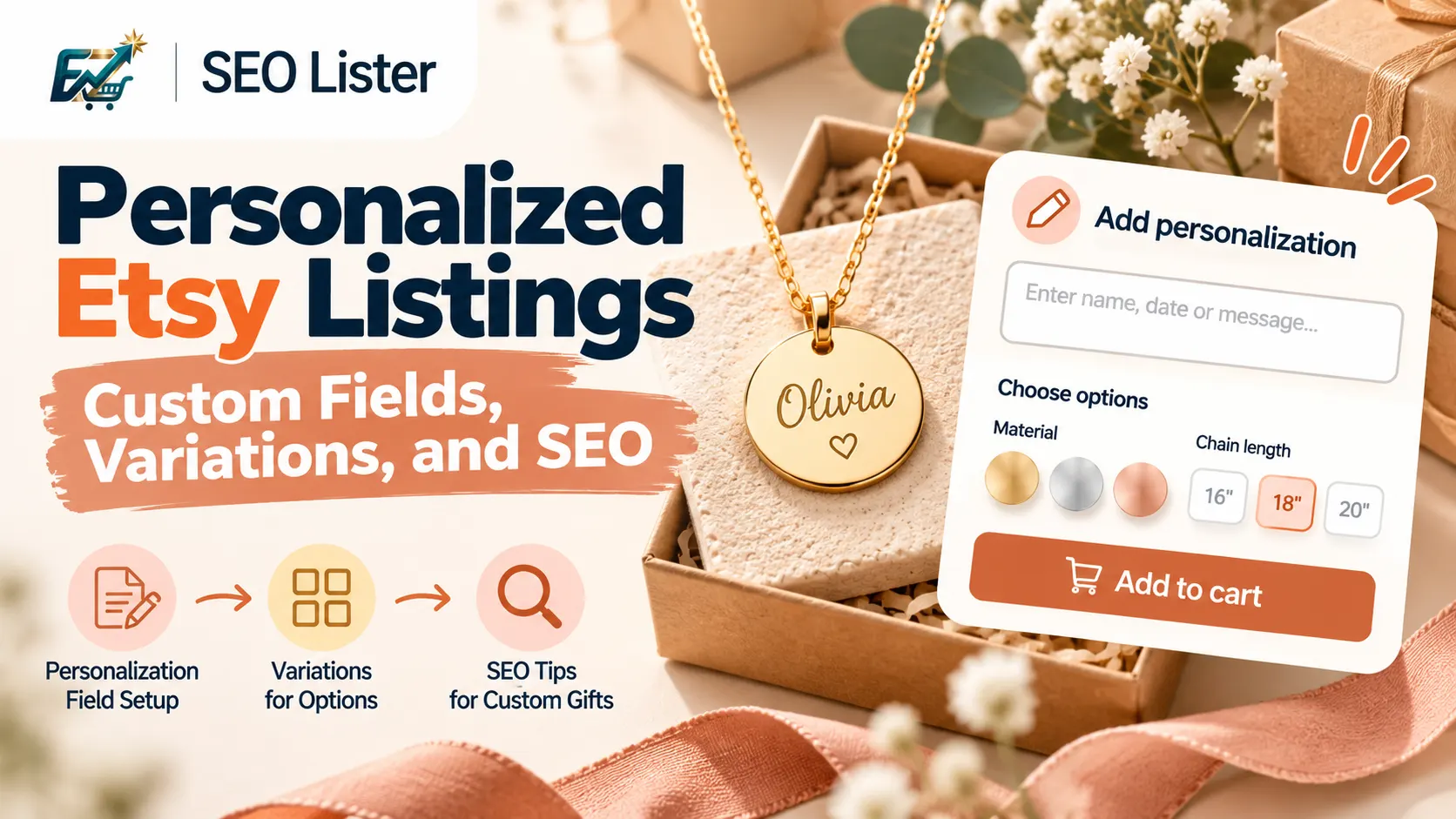
Personalized Etsy listings need clear buyer instructions, correctly configured variations, and listing copy that explains exactly what customers can customize. The personalization field collects custom information, while variations handle predefined choices such as size, color or material. Etsy SEO still relies on normal listing information, including titles, tags, descriptions, categories and attributes. Set up the customization process first, then write copy that explains how ordering works.
Quick answer: Personalization field vs variations
The most important decision when creating a personalized Etsy listing is choosing between Custom options (personalization) and variations.
They serve different purposes.
| Feature | Personalization field | Variations |
|---|---|---|
| Main purpose | Collect custom information from buyers | Let buyers select predefined product options |
| Buyer action | Enter text, choose from a list or upload a file | Select an available option |
| Examples | Name, date, engraving text, custom message | Size, color, material |
| Inventory impact | Generally does not determine inventory | Can affect inventory, price or SKU |
| Best use | Made-to-order customization | Different versions of the same product |
For example, imagine you sell personalized necklaces.
- Variation: Choose silver or gold.
- Personalization: Enter the name to engrave.
- Variation: Choose a chain length if you offer fixed lengths.
- Personalization: Enter a short message for the gift box.
Etsy recommends using variations when customers select predefined options that affect price, inventory or SKU. Use personalization when customers provide custom information. See Etsy's guides on personalized listings and variations.
Getting this distinction right makes the ordering process easier to understand and manage.
Official Etsy setup: Personalization fields and variations
Etsy provides Custom options for collecting buyer information and variations for predefined product choices. You can configure both within a listing.
How to add personalization fields
According to Etsy's current Help documentation, you can add up to five Custom options fields to a listing.
Follow these steps on Etsy.com:
- Sign in to Etsy and open Shop Manager.
- Select Listings.
- Choose the listing you want to edit.
- Under Item options, find Custom options.
- Select Add field.
- Choose the appropriate field type.
- Add a clear title and instructions.
- Set whether the field is required or optional.
- Save your changes.
Etsy offers three main Custom options field types.
Text box
Use a text box when buyers need to enter information such as:
- A name for engraving
- A date for a personalized gift
- A short message for a greeting card
- Initials for a monogram
- Custom wording for a sign
Etsy recommends using a specific field title, explaining how the text will appear, setting a suitable character limit and indicating whether the field is required.
The character limit can be configured between 1 and 1,024 characters.
Example:
| Setting | Example |
|---|---|
| Field title | Name for engraving |
| Instructions | Enter the name exactly as you want it engraved. |
| Example | Emily |
| Character limit | 12 |
| Required | Yes |
List of options
Use a list of options when buyers need to select from choices you have already defined.
Examples include:
- Font style
- Embroidery thread color
- Design style
- Engraving position
- Available personalization styles
Etsy currently supports up to 30 options in a list field. Keeping the choices manageable can make the buying process easier.
Example:
| Setting | Example |
|---|---|
| Field title | Choose a font |
| Options | Script, Classic, Modern, Minimal |
| Required | Yes |
File upload
Use a file upload field when buyers need to provide an image or document.
This can be useful for:
- Pet photographs for custom portraits
- Logos for personalized products
- Artwork for custom prints
- Images for photo gifts
Etsy currently allows one file upload field per listing. Buyers can upload up to 10 files, with a maximum size of 100 MB per file. Supported formats include JPG, PNG, SVG, HEIC and PDF.
Make your instructions specific. Explain what buyers should upload, how many files are needed and what each file should contain.
For example:
Field title: Upload your pet photos
Instructions: Upload clear, well-lit photographs of your pet. If you need a portrait of two pets, upload a photograph of each one.
These settings and limits are subject to change. Check Etsy's How to Offer Personalized Listings guide before publishing.
How to add variations
Variations let buyers choose between predefined versions of your product.
To add them:
- Open Shop Manager and select Listings.
- Choose the listing you want to edit.
- Go to Item options.
- Select Add variation.
- Choose an available variation type.
- Add the options you offer.
- Enable price, quantity, processing profile or SKU differences when required.
- Save your changes.
Etsy supports up to three variation types per listing. The available predefined options depend on the listing category.
You can also create custom variation types. However, Etsy notes that buyers cannot filter search results based on custom variations.
If a variation represents a visible difference, such as product color, you can link photographs to the relevant options so buyers can see what they are selecting. See How to Add Variations.
For the broader listing setup workflow, see How to Create a New Etsy Listing.
What to put in Etsy personalization instructions
Your personalization instructions should tell buyers exactly what information to provide and how to provide it.
Avoid generic instructions such as:
- Add personalization here.
- Enter your details.
- Write your name.
- Send your design.
These instructions leave too much room for interpretation.
A good personalization field answers four questions:
- What should the buyer enter or upload?
- Where will the information appear?
- What format or character limit should they follow?
- Is the information required?
Use a clear field title
A field titled “Personalization” does not explain what the buyer needs to provide.
Use a specific title instead.
| Generic title | Better field title |
|---|---|
| Personalization | Name for engraving |
| Custom text | Message for the front of the card |
| Upload image | Upload your pet photograph |
| Choose style | Select your font style |
| Details | Enter wedding date |
Specific titles reduce the need for buyers to guess what information belongs in each field.
Explain the customization process
Consider a personalized wooden name sign.
A useful instruction could be:
Field title: Name for wooden sign
Instructions: Enter the exact name you want engraved. Check spelling and capitalization before submitting. Maximum 12 characters. Example: Olivia.
This tells buyers what to enter, how the information will be used and what restrictions apply.
Separate different personalization details
Do not ask buyers to provide several unrelated details in one confusing text box.
For a personalized wedding gift, you may need:
- Couple's names
- Wedding date
- Font selection
- Custom message
Use separate fields or predefined options where appropriate. Etsy recommends focusing each Custom options field on a single detail whenever possible.
Use required and optional fields correctly
A required field should collect information you genuinely need to complete the order.
For example:
- Name for engraving: Required.
- Optional gift message: Optional.
- Font choice: Required if the product needs a font selection.
If buyers can purchase the item without providing optional information, explain what happens when they leave the field blank.
SEO for personalized Etsy products
Personalized products need the same listing SEO fundamentals as other Etsy products.
Your title, tags, description, categories and attributes should communicate what the product is and how it meets a buyer's search intent.
Etsy's Keywords 101 guidance explains that these listing elements help match products with shopper searches. It also recommends descriptive multi-word phrases and tags that reflect how shoppers might describe products. For the full strategy, see the Complete Etsy SEO Guide 2026.
1. Write a clear product-focused title
Start with the product itself. Then explain the customization method or relevant gift use case.
For example:
Product: Personalized wooden name sign
A possible title:
Personalized Wooden Name Sign, Custom Nursery Wall Decor, Engraved Baby Gift
This communicates the product, customization and intended use without repeating the same phrase unnecessarily.
Other examples:
| Product | Possible title |
|---|---|
| Custom necklace | Personalized Name Necklace, Engraved Jewelry Gift |
| Custom mug | Personalized Coffee Mug, Custom Name Ceramic Gift |
| Wedding sign | Custom Wedding Welcome Sign, Personalized Wooden Decor |
| Photo frame | Personalized Photo Frame, Custom Family Keepsake |
| Embroidered sweatshirt | Custom Embroidered Sweatshirt, Personalized Gift |
These are example structures, not guaranteed-performing titles. Use only phrases that accurately describe your product.
For more guidance, read How to Write Etsy Titles That Get Found.
2. Build tags around different search intentions
Do not fill every tag with the words “custom,” “personalized” or “unique.”
Instead, consider different ways buyers might describe the product.
For a personalized wooden name sign, possible tag themes include:
| Search intent | Example tag ideas |
|---|---|
| Product type | wooden name sign |
| Customization | custom name decor |
| Recipient | baby room decor |
| Occasion | newborn baby gift |
| Use case | nursery wall art |
| Material | engraved wood sign |
| Style | rustic nursery decor |
| Gift intent | personalized baby gift |
These are brainstorming examples. Check the current Etsy tag character limit and choose phrases that fit the actual product.
Etsy's Keywords 101 guidance specifically recommends including relevant phrases for custom or personalized products. It also encourages sellers to think about materials, techniques, recipients, style and product characteristics.
Read the Etsy Tags Guide for more practical guidance.
3. Explain personalization in the description
Your description should explain the customization process in language that buyers can understand.
A useful structure is:
Opening: Identify the product and its main purpose.
Customization options: Explain what can be changed.
How to order: Tell buyers which fields to complete.
Product details: Include materials, dimensions and other verified specifications.
Processing information: Explain your actual production and shipping arrangements.
Important notes: Mention character limits, spelling checks, file requirements or other relevant restrictions.
Example description section
Make this wooden name sign personal
Add a name to create a personalized decoration for a nursery, bedroom or thoughtful gift.
How to order:
- Select your preferred sign size.
- Choose the available wood finish.
- Enter the name exactly as you want it engraved.
- Review your spelling and capitalization before placing your order.
Personalization details:
- Custom name engraving.
- Maximum 12 characters.
- One name per sign.
- Font options are shown in the listing photos.
Please check your submitted details carefully before completing your order.
This is a sample structure. Replace every specification and option with details that accurately reflect your product.
Does the personalization field itself improve Etsy SEO?
Do not assume that entering a buyer's custom text in the personalization field automatically improves search visibility.
Etsy's published Keywords 101 guidance identifies titles, tags, descriptions, categories and attributes as important sources of keyword information for matching listings to shopper searches. It does not establish that buyer-entered personalization text is a direct ranking factor.
The personalization field has a different job: collecting the information required to make the product.
Use your normal listing fields to describe the product and customization accurately. Use Custom options to collect the buyer's specific instructions.
Photos and video that show customization
Personalization is easier to understand when buyers can see what the finished product looks like.
Your images should demonstrate the available choices and explain how customization works.
Etsy recommends using clear images of finished personalized items wherever possible. Additional images can show examples, mockups or customization choices, provided they are easy to understand and accurately represent the product. For personalized commercial items, the primary image must show a finished personalized item similar to what the buyer will receive. A blank product image or placeholder such as “Your Text Here” should not be used as the primary image.
Image ideas for personalized listings
Consider including:
- Finished personalized product: Show an actual example of the completed item.
- Customization options: Display available fonts, colors, engraving styles or other choices.
- How to order: Explain which information buyers should enter.
- Size and dimensions: Show measurements clearly.
- Personalization example: Demonstrate how a submitted name or message appears on the finished item.
Make sure the options shown in your images match the options available in your Custom options fields and variations.
Use video to demonstrate the finished product
A short listing video can show details that are difficult to communicate through a still photograph.
For example, you could show:
- A name being engraved.
- Different available font styles.
- The front and back of a personalized product.
- A finished custom gift being packaged.
Keep the video consistent with the actual product and available customization choices.
Common Etsy personalization mistakes
Small setup mistakes can create confusion during ordering and production.
| Mistake | Why it causes problems | Better approach |
|---|---|---|
| Using vague instructions | Buyers do not know what information to provide | Use specific field titles and examples |
| Ignoring character limits | Submitted text may not fit the design | Set a realistic limit based on the product |
| Combining unrelated details | Important information may be missed | Separate details into focused fields |
| Using variations for custom text | Buyers may not have a suitable way to enter their own wording | Use a text box where appropriate |
| Using personalization for stock choices | Inventory and price management can become unclear | Use variations for predefined choices that affect stock or price |
| Showing unavailable options in photos | Buyers may expect customization you do not offer | Match photos, fields and variations |
| Repeating SEO keywords | Listing copy becomes unnatural | Use descriptive, product-specific language |
| Forgetting to explain the ordering process | Buyers may submit incomplete details | Add a short how-to-order section |
Mistake: Repeating “custom,” “personalized” and “unique”
Adding the same words throughout your title, tags and description does not make a listing more useful.
Instead, describe the actual product and the customization method.
For example, a personalized leather wallet might be described using phrases about leather, initials, engraving, gift recipients and the wallet's style.
Each phrase should add useful context rather than repeat an existing idea.
Use AI for the draft, then add exact personalization instructions
AI can help you prepare product titles, tags and descriptions. However, the seller must supply the exact customization rules.
An AI tool may understand that a product is personalized from its photos and product details. It cannot reliably determine every production restriction from an image.
For example, it should not invent:
- Maximum engraving characters.
- Available fonts.
- Exact personalization placement.
- Supported file formats.
- Whether a customization option costs extra.
- Production or delivery promises.
A useful AI prompt for personalized Etsy products
You can use this prompt with an AI writing assistant:
Create an Etsy listing draft for the following personalized product.
Product: [Product name] Material: [Verified material] Customization method: [Engraving / printing / embroidery / other] Available variations: [Size, color, material or other predefined choices] Personalization options: [Name, date, message, image upload, etc.] Character limit: [Verified limit] Target buyer: [Recipient or audience] Occasion: [Relevant occasion, if applicable]
Generate a clear Etsy title, relevant tag suggestions and a buyer-focused description.
Explain the customization process in simple language. Do not invent specifications, available options, character limits, prices or production promises. Flag any missing information that needs confirmation before publishing.
Where SEOLister fits
SEOLister helps sellers turn product photos and details into structured listing drafts, including titles, tags, descriptions, styles and materials. It also offers a completion score, multilingual listing support in English, French, German, Dutch and Russian, reusable templates, listing video creation from photos and a workflow for publishing to Etsy after review.
For personalized products, use the generated content as a starting point. Add your exact Custom options field titles, instructions, character limits, variation choices and production details manually. Review every field before publishing.
The SEOLister completion score is a tool-specific completeness indicator. It is not Etsy's Search Visibility score or a ranking guarantee.
FAQ
What is the difference between Etsy personalization and variations?
Personalization collects custom information from buyers, such as names, dates, messages or uploaded images. Variations let buyers select predefined product options such as size, color or material, especially when those choices affect price, inventory or SKU.
How do I add a personalization field to an Etsy listing?
Open Shop Manager, select Listings, edit the product and find Custom options under Item options. Add a text box, list of options or file upload field, then provide clear instructions and choose whether the field is required or optional.
How many personalization fields can I add on Etsy?
Etsy currently allows up to five Custom options fields per listing. Each field should collect a clearly defined detail, such as a name, date, font choice or uploaded image. Check Etsy Help for current limits and supported field types.
Does Etsy personalization help SEO?
Personalization helps sellers collect information needed to create customized products. Etsy's published keyword guidance identifies titles, tags, descriptions, categories and attributes as important listing information for search matching; it does not establish buyer-entered personalization text as a direct ranking factor.
Should I use custom or personalized keywords in every Etsy tag?
No. Use relevant phrases that describe the actual product, customization method, recipient, occasion, material and style. Avoid repeating the same generic words across every tag.
Can Etsy buyers upload photos for personalized products?
Yes. Etsy supports a File upload Custom options field for collecting buyer images and documents. Its current guidance allows one upload field per listing, with limits on the number, size and format of files.
What should I include in personalized Etsy listing photos?
Show a finished personalized product, explain the available customization choices, and demonstrate how buyers should place their order. Make sure every option shown in your photos matches the actual options available in your listing fields.
Create personalized listings buyers can understand
A good personalized Etsy listing does more than mention the word “custom.” It explains what buyers can change, where their information will appear and exactly what they need to submit.
Start by choosing the right Custom options and variations. Write specific instructions, show realistic examples, and use your title, tags and description to explain the product naturally.
Review Etsy's current Help documentation whenever its listing tools or field requirements change.
Explore SEOLister features to prepare and review Etsy listing content.
Read the Complete Etsy SEO Guide 2026 for broader listing optimization guidance.
New sellers can also start with Etsy SEO for a New Shop or the Etsy Selling Guide. Browse SEOLister free tools or check pricing when you are ready to explore the full workflow.
Sources and Further Reading
Frequently Asked Questions
What is the difference between Etsy personalization and variations?
Personalization collects custom information from buyers, such as names, dates, messages or uploaded images. Variations let buyers select predefined product options such as size, color or material, especially when those choices affect price, inventory or SKU.
How do I add a personalization field to an Etsy listing?
Open Shop Manager, select Listings, edit the product and find Custom options under Item options. Add a text box, list of options or file upload field, then provide clear instructions and choose whether the field is required or optional.
How many personalization fields can I add on Etsy?
Etsy currently allows up to five Custom options fields per listing. Each field should collect a clearly defined detail, such as a name, date, font choice or uploaded image. Check Etsy Help for current limits and supported field types.
Does Etsy personalization help SEO?
Personalization helps sellers collect information needed to create customized products. Etsy's published keyword guidance identifies titles, tags, descriptions, categories and attributes as important listing information for search matching; it does not establish buyer-entered personalization text as a direct ranking factor.
Should I use custom or personalized keywords in every Etsy tag?
No. Use relevant phrases that describe the actual product, customization method, recipient, occasion, material and style. Avoid repeating the same generic words across every tag.
Can Etsy buyers upload photos for personalized products?
Yes. Etsy supports a File upload Custom options field for collecting buyer images and documents. Its current guidance allows one upload field per listing, with limits on the number, size and format of files.
What should I include in personalized Etsy listing photos?
Show a finished personalized product, explain the available customization choices, and demonstrate how buyers should place their order. Make sure every option shown in your photos matches the actual options available in your listing fields.
Etsy SEO
The Complete Etsy SEO Guide 2026
Rankings stalling across the shop? Follow this map for keywords, titles, tags, attributes, and photos so every listing has a path to get found.
Etsy SEO
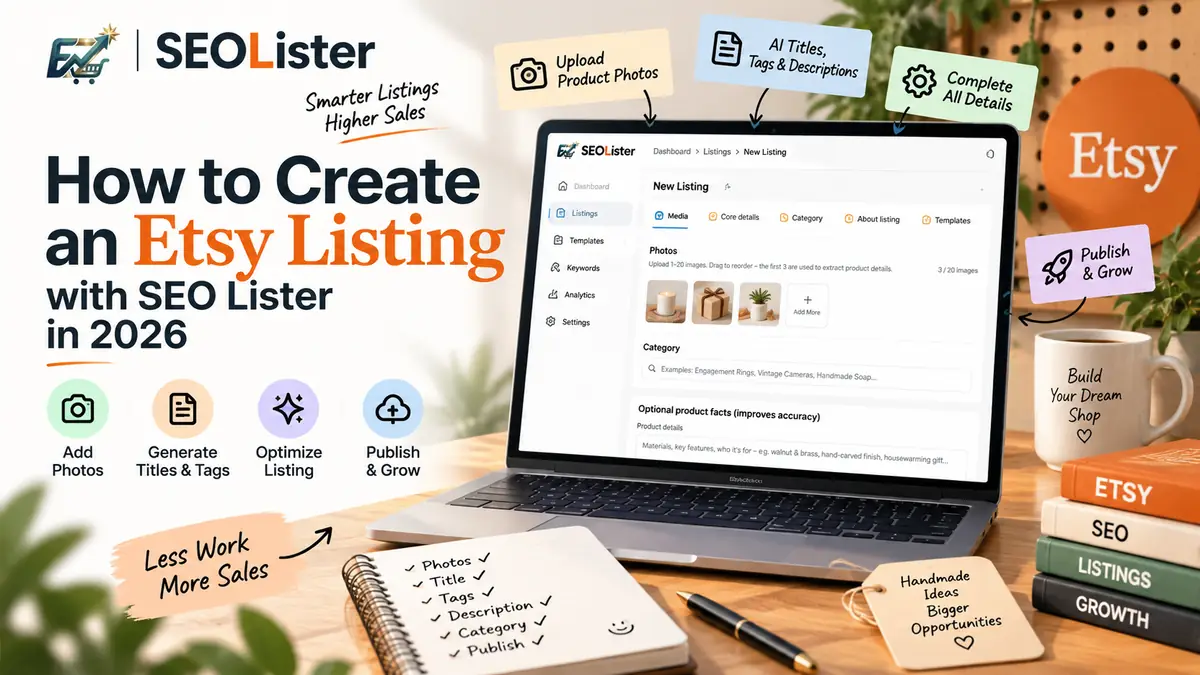
How to Create an Etsy Listing with SEOLister in 2026
Spending an hour per listing on titles and tags? Use an SEO-first create flow so new products go live complete—and searchable—the first time.
Etsy SEO
How to Write Etsy Titles That Get Found in 2026
Titles that sound clever but never rank? Learn keyword placement shoppers actually type so your listings show up before competitors do.