
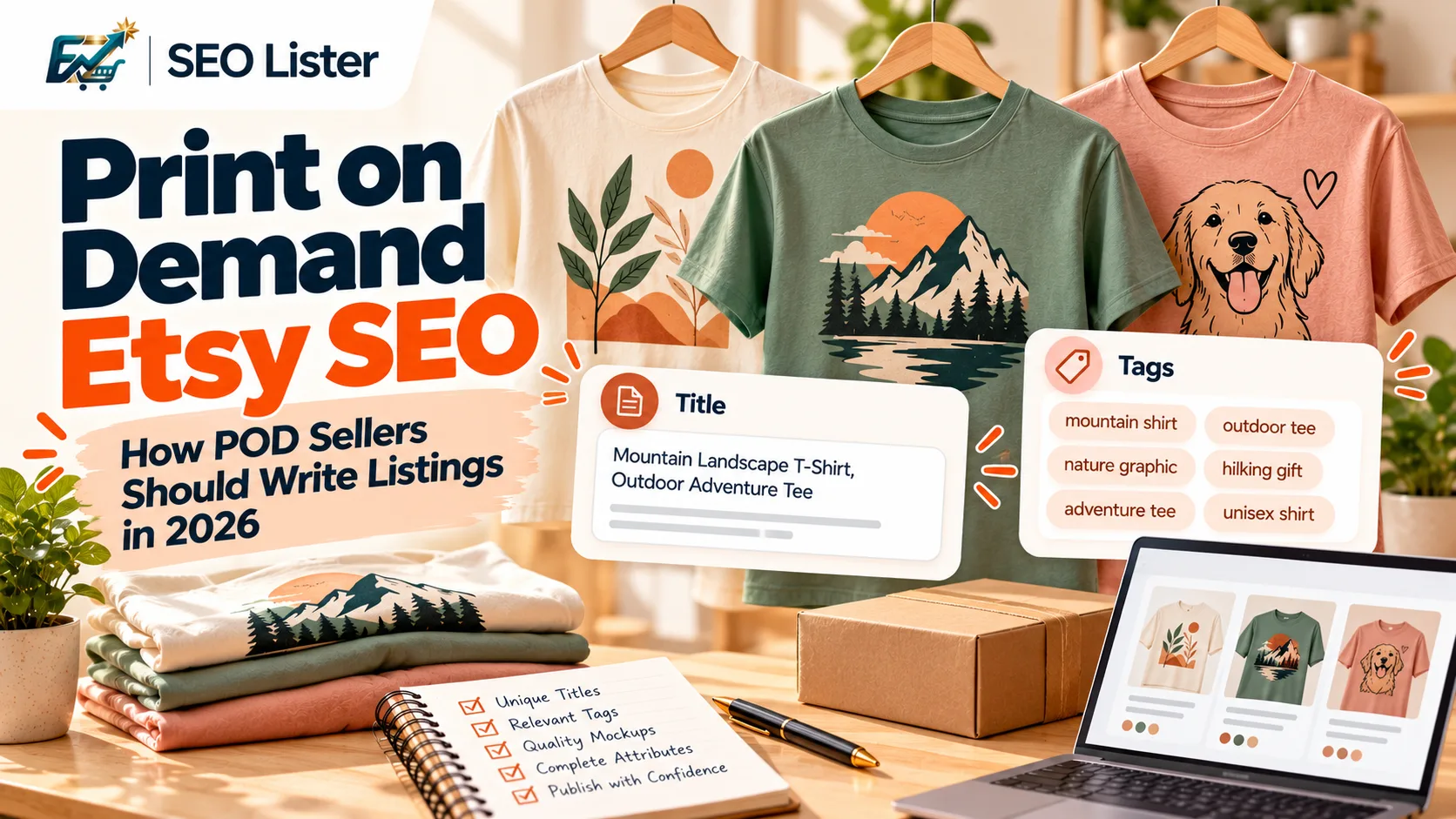
Print on demand Etsy SEO is still listing SEO: every product needs a relevant title, tags, attributes, accurate descriptions, and images that represent the actual item. The challenge is scale. When you launch dozens or hundreds of designs through a POD supplier, it becomes tempting to reuse the same listing template and change only the product name.
That shortcut can make your catalog repetitive and less useful to shoppers. A better approach is to build a repeatable workflow while keeping the important details unique to each design. Use research to validate the product idea, AI to speed up first drafts, and human review to check keywords, mockups, product specifications, and Etsy policy requirements.
This guide explains how to optimize POD listings for Etsy in 2026, from niche research to publishing.
Quick answer — POD SEO is listing execution at scale
Print on demand Etsy SEO means optimizing each POD product listing around its specific design, product type, and intended buyer. You should create relevant titles, use all suitable tags, select accurate categories and attributes, write useful descriptions, and show the product clearly through permitted photos or mockups.
A POD workflow needs two things:
- Consistency: A repeatable process for creating and checking listings.
- Uniqueness: Product-specific keywords, descriptions, attributes, and visuals for every design.
For example, two shirts printed on the same blank garment may need different listing content if one features a botanical illustration and the other has a humorous design for a particular profession.
| Listing element | What to customize for each design |
|---|---|
| Title | Product type, design subject, relevant audience or use |
| Tags | Distinct phrases that describe the design and buyer intent |
| Description | Design details, product specifications, fit, care, and fulfillment |
| Attributes | Accurate color, size, style, material, and other available details |
| Images | The actual design, placement, product appearance, and useful views |
| Video | A clear presentation of the product and its design |
The goal is not to make every field completely different. Shared product specifications can remain consistent when they are genuinely the same. The goal is to avoid copying irrelevant or generic content across products.
For the full listing strategy, see the Complete Etsy SEO Guide 2026.
Niche & design validation
Keyword optimization cannot rescue a product idea that has not been properly researched. Before creating a large group of POD listings, investigate whether the design has a clear audience and whether shoppers use language that describes it.
Start with the design rather than a list of popular keywords.
Ask:
- What does the design show?
- Who might identify with it or buy it?
- What product will display the design?
- Is the item intended for everyday use, a gift, an event, or a particular interest?
- What words would a shopper use to describe it?
Research the market before creating a collection
Use Etsy search suggestions, marketplace research tools, and competitor listing analysis to understand how products are presented. Look for recurring product descriptions, buyer language, and design themes. Treat competitor listings as research material, not copy to reproduce.
Tools such as Insight Agent publish POD-focused research guidance. MyDesigns and Listadum also publish resources for Etsy sellers. Check each provider's current website for available research features and pricing before choosing a tool.
For broader Etsy keyword research, see our guide to the best Etsy SEO tools. New shops can also start with Etsy SEO for a New Shop.
Build a design-to-keyword map
Before writing a listing, record the information that makes the design different.
| Research field | Example information |
|---|---|
| Design subject | Botanical line illustration |
| Product | Unisex graphic T-shirt |
| Audience | People interested in botanical art |
| Visual style | Minimal, nature-inspired |
| Buyer intent | Everyday clothing or a thoughtful gift |
| Product facts | Available garment colors, sizes, and print placement |
These are illustrative details, not keyword-demand claims. Use actual product information and your own research to decide which phrases belong in the listing.
Do not select a niche just because a tool labels it popular or low competition. Validate whether the design is original, relevant to an identifiable audience, and suitable for the product.
Listing differences for POD: mockups, print areas, and sizing charts
A POD listing needs to explain both the design and the physical product. A shopper cannot inspect the garment or hold the mug before ordering, so the listing should answer practical questions clearly.
Show the design on the actual product type
A mockup should help buyers understand:
- What the product looks like.
- Where the design appears.
- How large the printed design is.
- How the product looks when worn or used.
- Which product color or variant is being shown.
Avoid using a mockup that makes a small chest print look like a full-front design. If the design is printed on one side of a mug, do not imply that both sides have the same artwork.
Etsy's current listing-image guidance allows a stock photo mockup for a POD item when a production partner prints the seller's original design on a standard base product, provided the mockup owner's permission covers its use. Review Etsy's listing image requirements before publishing. Etsy's Creativity Standards also explain the distinction between seller-designed products and other item types.
Include useful product information
For apparel, check the supplier's specifications before writing:
- Garment style and fit.
- Fabric composition.
- Available sizes.
- Available colors.
- Care instructions.
- Print placement and method, where confirmed.
For home products, include relevant information such as dimensions, material, finish, capacity, and intended use.
Do not assume that every product in a supplier's catalog uses the same fabric, print method, or size measurements. Confirm the exact product variant.
Make sizing information easy to understand
A size chart can reduce uncertainty, especially for apparel. Use the measurements supplied for the specific garment rather than copying a generic chart from another product.
If your supplier provides a sizing guide, check that it matches the product and variant in your Etsy listing. Explain how buyers should interpret the measurements when necessary.
Title/tag patterns that stay unique per design
Titles and tags should describe what the product actually is. A useful title gives shoppers a clear product description without turning into a string of loosely related phrases.
Printful's Etsy SEO guide also discusses the role of titles, tags, categories, and attributes in listing relevance. Its guidance is a useful starting point, but always check Etsy's current seller documentation for the latest requirements.
Use a product-specific title structure
A practical title structure is:
Main product phrase + design subject + relevant style or audience detail
For example:
Botanical Line Art T-Shirt, Minimal Nature Graphic Tee
This example describes the product and design without claiming that the title will rank for a particular search.
For another design on the same shirt blank, the title should change to reflect its actual subject. Do not keep the botanical wording simply because the garment is identical.
Create tags around different relevant phrases
Use tags to describe different aspects of the product rather than repeating the same broad word in slightly different forms.
For a hypothetical botanical graphic shirt, relevant tag themes might include:
- Product type.
- Design subject.
- Visual style.
- Intended audience, if genuinely relevant.
- Occasion or gifting intent, if appropriate.
- A specific interest represented by the artwork.
Etsy's tag guidance and available tag limits can change. Check the live listing editor and Etsy Help before preparing a large batch. Avoid adding a tag simply to fill a slot if it does not accurately describe the product.
Example: duplicated versus unique listing content
Imagine you sell three shirts using the same garment blank:
| Design | Better title direction |
|---|---|
| Botanical illustration | Botanical Line Art T-Shirt, Minimal Nature Graphic Tee |
| Funny dog illustration | Funny Dog Graphic T-Shirt, Casual Pet Lover Tee |
| Mountain artwork | Mountain Landscape T-Shirt, Outdoor Adventure Graphic Tee |
The product specifications may overlap, but the design subject and relevant buyer language differ.
This is the practical difference between using a template as a structure and copying the same SEO content across a catalog.
For more detailed title guidance, read How to Write Etsy Titles That Get Found and our Etsy Tags Guide.
Attributes, materials, and category pitfalls for apparel/home POD
Categories and attributes help describe what you are selling. They should match the physical item, not simply the artwork or the audience you hope to reach.
Select the most accurate category
Choose the category that describes the actual product. A printed T-shirt should be categorized as the appropriate apparel product, not as wall art because the design is an illustration.
Use the most specific relevant category available in Etsy's listing editor. Check the category options for each product type instead of assuming that one category works for your entire POD catalog.
Complete relevant attributes
Depending on the product and category, Etsy may offer attributes related to:
- Primary and secondary color.
- Clothing style or fit.
- Material.
- Size.
- Room or home use.
- Occasion or recipient.
Select attributes that are supported by the actual product. If the supplier confirms a material composition, use that information. Do not describe a garment as organic cotton, heavyweight, oversized, or eco-friendly unless the product specification supports the claim.
For more on structured listing fields, see the Etsy attributes guide.
Avoid confusing design details with product materials
A shirt featuring a flower illustration is not necessarily made from a particular natural material. Likewise, a mug with a wood-effect design is not necessarily made from wood.
Keep these distinctions clear:
- Design: What is printed or illustrated.
- Material: What the physical product is made from.
- Style: How the product is designed or presented.
- Product category: What the buyer is purchasing.
This makes the listing more accurate and helps prevent misleading product descriptions.
Photo & video for mockups
Images are especially important in POD because the buyer is evaluating a representation of an item that may be produced only after an order is placed.
Create a consistent image set that answers the most important product questions.
A practical POD image checklist
| Image | What it should communicate |
|---|---|
| Main mockup | Overall product appearance and design |
| Design close-up | Print detail, text, or illustration |
| Alternate view | Back, side, or another relevant angle |
| Size information | Accurate measurements or sizing guidance |
| Lifestyle image | Product shown in a realistic context |
| Color options | Available variants, represented accurately |
Not every product needs every image type. Choose views that help explain the specific item.
Etsy's listing-image policy includes specific requirements and exceptions for POD mockups. Use mockups only when you have the necessary rights, and make sure they accurately represent the product. Do not present an artistic rendering as a real photograph of a finished item where Etsy's rules require otherwise. See the listing image requirements.
Use video to show details that static images cannot
A short product video can help communicate the design, product shape, and different views. For example, an apparel video might show the front print, fabric appearance, and garment fit.
Keep the presentation focused on the actual product. Avoid effects that exaggerate the print size, change the product color, or suggest features that are not included.
Batch workflow: CSV/photos → fields → QA → publish
A large POD catalog benefits from a standard process. The process should reduce repetitive work without removing product-level review.
Use this workflow for new designs and listing batches.
Step 1: Organize design and product information
Create a source record for every product. Include the design name, product type, supplier SKU, product specifications, available variants, mockup images, and relevant audience or design details.
Keep supplier data separate from marketing copy. This makes it easier to correct a product specification without rewriting unrelated listing content.
Step 2: Research keywords for each design
Identify the primary product phrase and supporting phrases. Check that each keyword describes the design, product, or buyer intent.
Group designs into collections only when they genuinely share a useful theme. A collection can share a workflow, but each listing still needs its own relevant content.
Step 3: Generate the first draft
Use your product details and images to create a draft title, tags, description, and relevant listing fields.
AI can help with repetitive drafting, but it should not invent materials, sizing, print methods, product benefits, or design details. Give the tool accurate product information and review the output.
Step 4: Run a human quality check
Before publishing, verify:
- The title describes the correct product and design.
- Tags are relevant and not copied blindly from another listing.
- The description matches the supplier's specifications.
- Materials and attributes are accurate.
- Images show the correct design and product variant.
- Shipping and dispatch details are correct.
- The production partner is disclosed where required.
- Any policy-required disclosures are present.
Step 5: Publish and review the live listing
Check the published listing as a buyer would see it. Confirm that variants, images, descriptions, and delivery details are correct.
Keep a record of which listings need revision. When you update a product or supplier specification, review every affected listing rather than assuming the old details are still correct.
Example batch checklist
| Stage | Output |
|---|---|
| Design preparation | Approved artwork and product mapping |
| Product setup | Verified supplier details and variants |
| Image preparation | Permitted, accurate mockups |
| Keyword research | Design-specific keyword notes |
| Listing generation | Draft title, tags, and description |
| Quality assurance | Corrected fields and policy checks |
| Publishing | Live Etsy listing reviewed |
CSV files can help organize product data, but do not assume every POD supplier or Etsy workflow supports a direct CSV import or export in the same way. Confirm the current capabilities of the tools you use.
For a step-by-step create flow, see How to Create a New Etsy Listing.
Fees & volume reality
Publishing more POD listings can increase the amount of work you need to manage, but listing volume should not be treated as a shortcut to sales.
Every listing needs time for design preparation, keyword research, image review, product checks, and ongoing maintenance. A large catalog with inaccurate specifications or duplicated content can create more work than it saves.
Etsy's Fees & Payments Policy currently states a listing fee of $0.20 USD per listing and a 6.5% transaction fee on the displayed item price plus applicable shipping and gift-wrapping amounts. Payment processing and other fees may also apply. Fees and applicable taxes can change, so check the live Etsy Fees & Payments Policy before calculating your margins.
For a broader explanation of Etsy selling costs and store setup, use the Etsy Selling Guide.
Before expanding a collection, calculate the product cost, fulfillment cost, shipping, marketplace fees, advertising costs where applicable, and the margin you need. More listings are only useful when the products and economics make sense.
SEOLister for high listing volume
When you are creating many POD listings, writing every title, tag, and description from scratch can become repetitive. SEOLister helps streamline the listing-drafting and publishing workflow.
You can upload product images and generate a title, up to 13 tags, description, styles, and materials for review. It also supports multilingual listing workflows in EN, FR, DE, NL, and RU, listing videos from photos, templates, and publishing to Etsy. Its completion score is a SEOLister tool indicator, not Etsy's Search Visibility or an Etsy ranking metric. Review every generated field before publishing.
The best use of an AI listing tool is to speed up first drafts and repetitive tasks while keeping product accuracy and keyword decisions under your control.
FAQ
What is print on demand Etsy SEO?
Print on demand Etsy SEO is the process of optimizing POD product listings so they accurately describe the design and match relevant shopper searches. It includes titles, tags, categories, attributes, descriptions, and product images. Each design should have listing content that reflects its own subject and product details.
How do I optimize Printful products for Etsy SEO?
Start with the exact Printful product and design you plan to sell. Research relevant shopper phrases, write a product-specific title, add relevant tags, complete accurate attributes, and use images that represent the finished item. Verify product specifications and disclose your production partner according to Etsy's current policies.
Should every POD listing have a different title?
Each listing should have a title that accurately describes its own product and design. Two products may share a product-type phrase when they are genuinely the same type of item, but copying the entire title across unrelated designs makes the listings less descriptive. Customize the design and audience details where relevant.
Can I use the same tags for all my POD products?
You can reuse a tag when it genuinely applies to multiple products, such as a relevant product-type phrase. However, tags should also reflect each design's subject, style, and intended audience. Avoid copying an entire tag set across products without checking relevance.
Are Printful and Printify mockups allowed on Etsy?
Etsy's current listing-image guidance allows a stock photo mockup for a POD item when a production partner prints the seller's original design on a standard base product, provided the mockup owner's permission covers its use. Make sure the image accurately represents the product and check Etsy's live listing image requirements.
Do I need to disclose my POD production partner on Etsy?
Yes. Etsy requires sellers to disclose production partners on relevant listings when those partners help produce the seller's original designs. Sellers should also provide accurate information about where items are dispatched from. See Etsy's production partner guidance.
Can AI write Etsy listings for POD products?
AI can help draft titles, tags, and descriptions using product photos and verified details. It cannot reliably verify every supplier specification or determine whether a keyword accurately describes a design without appropriate input and review. Treat generated content as a draft and check it before publishing.
Build a more consistent POD listing workflow
Creating a large Etsy catalog does not mean every listing should sound the same. Start with accurate product information, make the keywords specific to each design, and review every listing before it goes live.
Try SEOLister to draft and optimize Etsy listing fields from product photos.
Explore SEOLister features to see how the listing workflow works.
You can also browse free Etsy SEO tools, compare SEOLister alternatives, or check pricing when you are ready to scale your listing process.
Sources and Further Reading
Frequently Asked Questions
What is print on demand Etsy SEO?
Print on demand Etsy SEO is the process of optimizing POD product listings so they accurately describe the design and match relevant shopper searches. It includes titles, tags, categories, attributes, descriptions, and product images. Each design should have listing content that reflects its own subject and product details.
How do I optimize Printful products for Etsy SEO?
Start with the exact Printful product and design you plan to sell. Research relevant shopper phrases, write a product-specific title, add relevant tags, complete accurate attributes, and use images that represent the finished item. Verify product specifications and disclose your production partner according to Etsy's current policies.
Should every POD listing have a different title?
Each listing should have a title that accurately describes its own product and design. Two products may share a product-type phrase when they are genuinely the same type of item, but copying the entire title across unrelated designs makes the listings less descriptive. Customize the design and audience details where relevant.
Can I use the same tags for all my POD products?
You can reuse a tag when it genuinely applies to multiple products, such as a relevant product-type phrase. However, tags should also reflect each design's subject, style, and intended audience. Avoid copying an entire tag set across products without checking relevance.
Are Printful and Printify mockups allowed on Etsy?
Etsy's current listing-image guidance allows a stock photo mockup for a POD item when a production partner prints the seller's original design on a standard base product, provided the mockup owner's permission covers its use. Make sure the image accurately represents the product and check Etsy's live listing image requirements.
Do I need to disclose my POD production partner on Etsy?
Yes. Etsy requires sellers to disclose production partners on relevant listings when those partners help produce the seller's original designs. Sellers should also provide accurate information about where items are dispatched from. See Etsy's production partner guidance for current requirements.
Can AI write Etsy listings for POD products?
AI can help draft titles, tags, and descriptions using product photos and verified details. It cannot reliably verify every supplier specification or determine whether a keyword accurately describes a design without appropriate input and review. Treat generated content as a draft and check it before publishing.
Etsy SEO Tools
Best Etsy SEO Tools in 2026: Research vs Listing Optimization
Compare the best Etsy SEO tools by workflow—keyword research, listing optimization, titles, tags, and publishing—so you pick the right stack for your shop.
Etsy SEO
The Complete Etsy SEO Guide 2026
Rankings stalling across the shop? Follow this map for keywords, titles, tags, attributes, and photos so every listing has a path to get found.
Etsy SEO
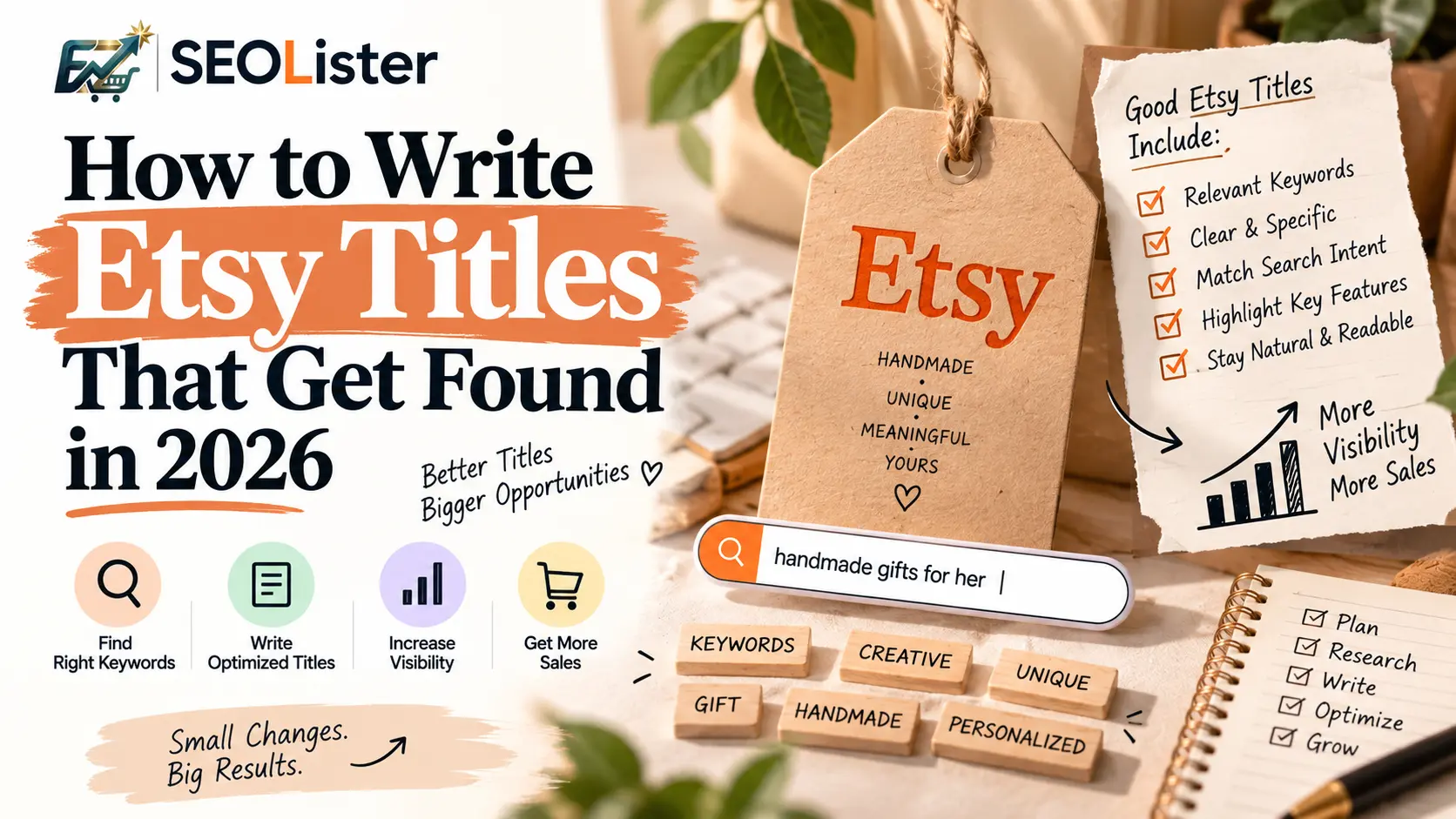
How to Write Etsy Titles That Get Found in 2026
Titles that sound clever but never rank? Learn keyword placement shoppers actually type so your listings show up before competitors do.